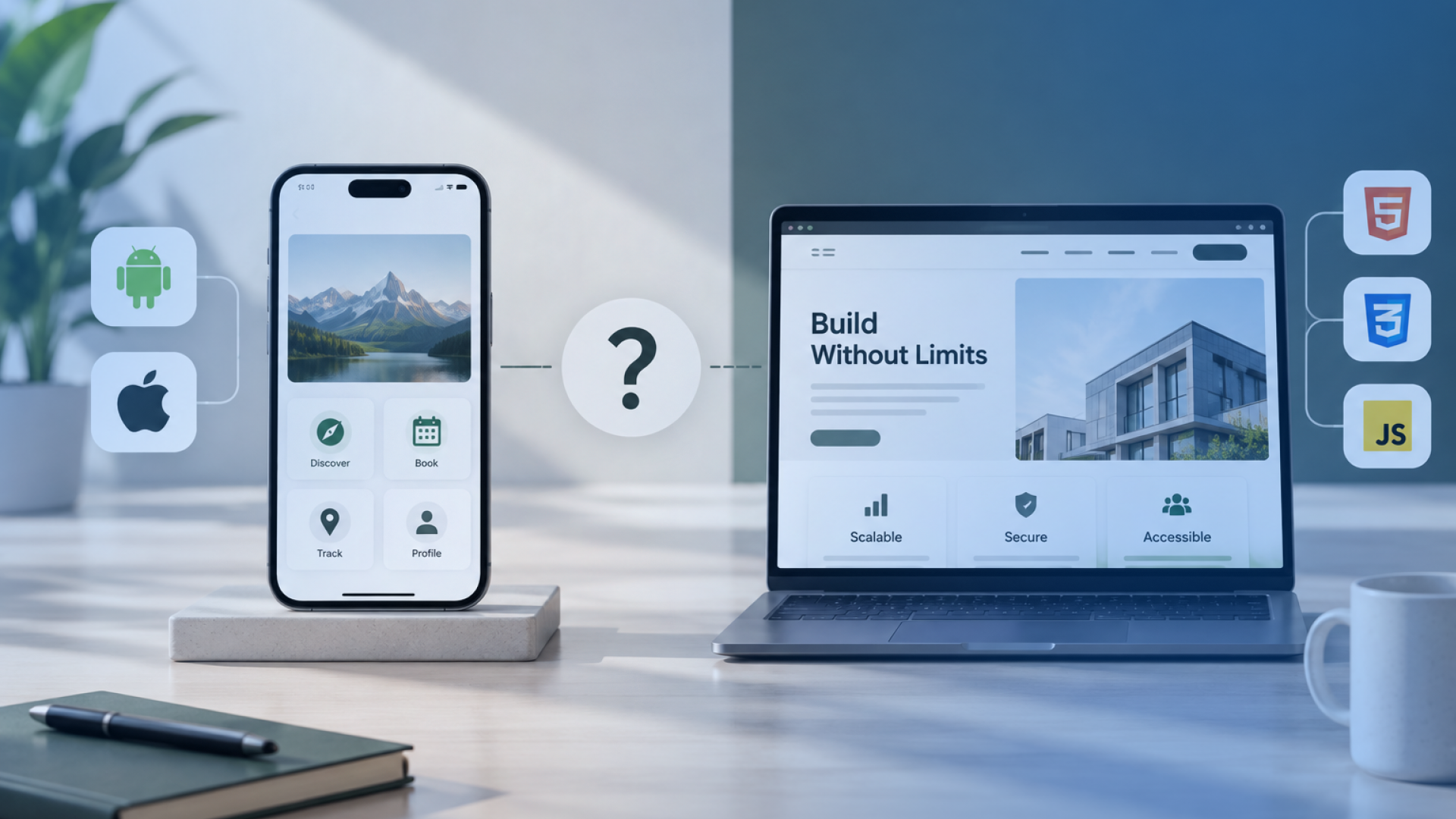


Mobile app development is the process of planning, designing, building, testing, launching and maintaining applications for mobile devices. A successful mobile app project starts with a business problem rather than with coding, because decisions about users, product scope, platforms, user experience, technical architecture, security and long-term operation should follow the problem the product needs to solve.
The right development approach depends on how people will use the product and what the software needs to do. Some requirements justify native iOS or Android development, while others are better suited to cross-platform development, a responsive web application, a progressive web app (PWA), an extension of existing software or an integration-led solution. Product discovery may also show that a custom mobile app is not necessary.
This guide explains the complete mobile app development process from initial idea to production and ongoing operation. It covers product validation, MVP definition, platform selection, UX design, backend architecture and integrations, development, security, testing, app-store release, analytics, maintenance and the use of AI where it supports a genuine user task. It also covers considerations for Irish organisations where privacy, accessibility, data processing or other Irish and EU requirements affect the product.
Businesses planning a new digital product can also explore Square Root Solutions’ app development capabilities for product planning, UX, mobile engineering, backend development, integrations, testing and post-launch support.
Business Goals Shape the Mobile App Strategy
Mobile app development should begin with a clear business problem, target user and intended outcome. A mobile app is justified when mobile access, device capabilities, offline use, field activity, repeated interaction or a mobile-first service materially improves how users complete an important task.
Ireland’s Digital Public Services Plan 2030 also reflects the wider shift toward digital access, with a target for 100% of key public services to be available online by 2030. This strengthens the case for digital service delivery, but it does not mean every service requires a dedicated mobile application. The interface should still follow the user need, workflow and device context.
Technology choices should follow that decision rather than lead it.
Define the Business Problem
Start by identifying what is failing or missing today.
The problem may involve a customer journey that is difficult to complete on the move, a field process that depends on paper or phone calls, or an existing system that does not provide practical mobile access.
A clear problem definition answers three questions:
Who is affected?
What is failing in the current process?
What consequence does that failure create?
For example, “we need an app with bookings, notifications and payments” is a list of features. It does not explain the problem those features are intended to solve.
Define the Intended Product Outcome
The intended outcome should describe what users or the business need to accomplish differently after the product exists.
For example, the product may need to:
help customers complete a recurring task from a phone;
allow field employees to record work at the point of service;
reduce repeated manual updates between teams;
provide mobile access to an existing digital service.
This outcome becomes a reference point for later decisions about requirements, UX, integrations and measurement. A feature should support the intended outcome rather than exist simply because it is common in other apps.
Decide Whether Mobile Is the Right Interface
A custom mobile app is not automatically the right solution to every digital requirement. The correct delivery route depends on how users work and which capabilities the product actually needs.
Business need | Mobile-specific requirement | Possible solution route | Why |
Occasional access to information or forms | Little or no device integration | Responsive web application | Browser access may meet the need without installation or app-store distribution |
Frequent tasks completed from a phone | Persistent access and repeated interaction | Mobile application | A dedicated mobile experience may reduce friction |
Field work with unreliable connectivity | Local storage and synchronisation | Mobile application with offline behaviour | The product can continue operating without a reliable network |
Disconnected business systems | Data exchange rather than a new user interface | System integration or workflow automation | A new app may add another interface without solving the underlying problem |
Existing software already covers the core requirement | Limited need for custom behaviour | SaaS or platform configuration | Custom development may add cost without enough additional value |
The chosen delivery approach also affects budget, because platform coverage, functionality, integrations and technical requirements influence mobile app development cost.
We saw this decision play out directly while building EduSmart Planner for CJ Fallon. The initial question was not which mobile framework Square Root Solutions should use. It was whether teachers and school administrators in Ireland needed an installed app at all.
The core workflows were lesson planning, accessing curriculum resources, tracking progress and using AI-assisted planning tools. None depended on native capabilities such as Bluetooth, background location, camera hardware or offline field work. What mattered more was giving teachers reliable access from the laptops, tablets and phones already used during the school day.
For that reason, we built EduSmart Planner as a responsive web platform rather than adding the friction and maintenance overhead of separate app-store distribution.
That decision has held up at scale. The platform now supports more than 250 schools and 4,500 teachers, with schools reporting a 75% reduction in time spent on curriculum and planning administration.
Our takeaway from the project is specific: mobile usage does not automatically justify a mobile app. When the primary requirement is cross-device access to workflow and information, a responsive web application can be the more appropriate product decision. At Square Root Solutions, we treat the interface as an outcome of the user context, not as the starting assumption.
The key question is not whether an organisation wants an app. It is whether the user context, workflow, device requirements or product proposition create a genuine need for a mobile-specific interface.
Once that is established, the next step is to validate whether the underlying user problem and proposed product idea are strong enough to justify development.
Product Validation Tests the Mobile App Idea
Product validation tests whether the user problem is real, recurring and important enough to justify development before the team commits to a full build. It should validate both the problem and the proposed mobile solution, because evidence that a problem exists does not prove that a custom app is the right answer.
Identify the Target User
Define the specific user group, the task they need to complete, where that task happens and how often the problem occurs.
Focus on observable behaviour rather than broad demographic labels.
For an employee-facing app, this may mean identifying the role performing the task, where the work takes place and which tools or processes are used today. For a customer-facing product, it means understanding the recurring need, current alternative and point of friction.
Test the User Problem
Look for evidence that users already experience the problem rather than asking whether they like the app idea.
Useful evidence may include:
user interviews;
support records;
existing behaviour;
manual workarounds;
process observation;
recurring operational problems.
Strong problem validation shows that a defined user repeatedly encounters the issue, already relies on an alternative or workaround, and experiences a meaningful consequence when the problem remains unresolved.
General enthusiasm for an app idea is a weak signal. Evidence becomes more useful when the problem already affects behaviour, time, access, completion or another measurable outcome.
Test the Product Assumption
Once the problem is credible, test whether the proposed product helps users complete the task more effectively.
The validation method should match the assumption being tested. Depending on the product, this may involve a clickable prototype, concept walkthrough, landing page, limited demand test, pilot or observation of an existing process.
For example, a clickable prototype can test whether users understand a proposed task flow before production code is written.
Positive feedback alone is not enough. A stronger signal is whether users can understand, adopt or successfully complete the intended task using the proposed solution.
Separate Problem Validation From Solution Validation
Problem validation and solution validation answer different questions.
Assumption | Evidence needed | Possible validation method | Decision |
Users experience the problem | Repeated behaviour, friction or workaround | Interviews, observation, support or process evidence | Is the problem worth solving? |
Users need mobile access | Evidence that phone or tablet use matters to the task | Contextual research, field observation | Is mobile the appropriate interface? |
The proposed flow makes sense | Users can understand and complete the intended task | Interactive prototype testing | Does the proposed solution fit the problem? |
Users or the organisation will adopt it | Evidence of willingness, demand or operational readiness | Demand test, pilot, stakeholder validation | Is further investment justified? |
A common development risk is moving directly from an idea to a feature list and implementation.
A stronger sequence is:
problem evidence → target user → mobile need → solution test → investment decision
This gives the next stage a firmer basis for defining user journeys, requirements and the MVP instead of expecting development to resolve uncertainties that should have been tested earlier.
Product Scope Converts User Needs Into Mobile App Requirements
Product scope turns validated user needs into a defined first release. It identifies the user journeys the app must support, the functional and non-functional requirements behind those journeys, and the acceptance criteria that determine whether the product is ready.
A mobile app MVP should test the core value proposition without removing requirements that are necessary for the product to remain usable, secure and operationally complete.
Map Core User Journeys
Start with the tasks users must complete from entry to outcome.
Each core journey should define:
the user's goal;
the starting point;
the main actions and decisions;
important exception paths;
the completion state.
For example, a booking journey may include selecting a service, choosing availability, entering required information, confirming the booking and receiving a confirmed status.
Mapping the complete journey helps define what the product must support before individual features are prioritised.
Define Functional Requirements
Functional requirements describe what users or connected systems must be able to do.
Depending on the product, they may include authentication, profiles, search, forms, transactions, messaging, notifications, uploads, payments, location services, camera access or integrations.
Each functional requirement should connect a real user need to a specific capability and define the expected application behaviour.
For example:
User need: book an available appointment
Capability: booking functionality
Expected behaviour: the user can select an available slot, submit the required details and receive confirmation
This keeps the scope tied to actual journeys rather than adding features simply because they are common in other applications.
Define Non-Functional Requirements
Non-functional requirements describe the conditions under which the application must operate.
They may include:
performance;
availability;
accessibility;
privacy;
security;
supported devices and operating systems;
scalability;
offline behaviour.
These requirements can materially affect architecture, testing, platform selection and delivery effort even when users do not experience them as separate features.
For example, a field application that must work without reliable connectivity may need local data storage, queued actions and later synchronisation. That requirement affects data handling, failure states and testing as well as the interface.
Prioritise the MVP
A mobile app MVP should contain the smallest coherent set of requirements that allows the core value proposition to be tested safely with real users.
Requirement | User value | Release priority | Acceptance condition |
Core task completion | Enables the primary reason for using the app | Essential | User can complete the intended journey successfully |
Supporting capability required by the journey | Prevents the core task from failing | Essential | Capability works under defined conditions |
Useful enhancement | Improves convenience but is not needed for validation | Later | Added after core behaviour is validated |
Experimental idea | Tests an unproven assumption | Conditional | Included only when the experiment justifies the effort |
Roadmap feature | Supports later product expansion | Future | Deferred without weakening the first usable release |
MVP prioritisation is not simply a must-have versus nice-to-have exercise.
Less visible requirements such as secure authentication, accessibility or offline behaviour may still be essential if the core journey cannot operate correctly without them.
Define Acceptance Criteria
Acceptance criteria turn requirements into observable and testable outcomes.
Instead of saying that the app needs “booking functionality,” define the behaviour that proves the journey works.
For example:
The user can select an available slot, submit the required information, receive confirmation and see the booking recorded in the authoritative system without creating a duplicate record.
Each requirement should connect the expected behaviour with a condition that can be tested.
requirement → expected behaviour → testable condition
Acceptance criteria reduce ambiguity because product, design, development and testing teams can evaluate the same expected outcome.
A well-defined MVP is therefore not the shortest possible feature list. It is the smallest product scope that preserves the complete core journey, its essential operating conditions and enough functionality to test whether the product solves the validated problem.
Platform Strategy Determines the Mobile App Delivery Approach
Platform strategy determines whether a product should use native iOS, native Android, cross-platform development, a responsive web application or a progressive web app (PWA).
The decision should follow the target users, device context, required capabilities, performance needs and release roadmap rather than a development team’s preferred framework.
Decide Which Platforms Matter
Start with the users and the devices they actually need to use.
A consumer product may need both iOS and Android if the target audience is split across both ecosystems. An internal application may only need to support company-managed Android devices. A specialist product may launch on one platform first if the validated audience, operating environment or budget supports that choice.
Platform coverage should therefore reflect:
who the users are;
which devices they use;
where the product needs to operate;
which platform-specific capabilities are required.
Supporting both platforms by default increases design, testing, release and maintenance responsibilities without proving that both are necessary.
Compare Native, Cross-Platform and Web Delivery
Native, cross-platform and web approaches solve different delivery problems. No option is automatically better for every mobile app.
Decision factor | Native development | Cross-platform development | Responsive web / PWA |
Platform-specific device integration | Strong fit where deep native capabilities are central | Suitable where required capabilities are reliably supported | More limited for some device and background capabilities |
Shared implementation | Separate platform-specific implementation | Greater opportunity to share application logic and interface code | Single browser-based application |
Platform-specific UX | Direct access to platform conventions and APIs | Shared design with platform-specific adjustments where needed | Browser-led interaction model |
Performance-sensitive behaviour | Useful where platform-specific optimisation matters | Depends on workload and framework boundaries | Depends on browser and web-platform constraints |
App-store distribution | Yes | Yes | Usually unnecessary for responsive web; PWA distribution differs |
Best fit | Products where mobile-native behaviour is central | Products where shared delivery fits the required capabilities | Products where installation or deep native behaviour adds limited value |
We saw the opposite product decision while building the Jump Juice mobile experience in Ireland. In this case, a responsive web application would not have matched the way customers interacted with the brand. The product needed to support personalised product discovery, loyalty rewards, notifications and repeat interactions connected to physical stores, so a dedicated mobile application made sense.
Square Root Solutions built the customer app in Flutter, giving the project a shared iOS and Android codebase while still allowing each platform to be tested, configured and released as a proper mobile application.
The mobile client was only one part of the system. We supported it with Node.js APIs, PostgreSQL for application data and a separate FastAPI service for personalised recommendations. Authentication, recommendation logic, CMS controls and store-connected journeys all had to work together before the mobile experience was complete.
The practical lesson from the project is that choosing Flutter did not simplify away the architecture. Cross-platform development reduced duplicated client-side implementation, but it did not remove the need for backend engineering, platform-specific testing, data modelling or integration design.
That is how we approach cross-platform development at Square Root Solutions: the framework is one delivery decision inside a larger product architecture, not the architecture itself.
The comparison should focus on product constraints rather than assumptions such as “cross-platform is always cheaper” or “native is always higher quality.”
Consider a Responsive Web App or PWA
A dedicated mobile application may be unnecessary when users mainly need browser access, the workflow does not depend on deep device APIs, and app-store installation adds little value.
A responsive web application may suit forms, dashboards, account management, occasional customer interactions or other tasks that already work effectively through a browser.
A PWA may add installable or offline-oriented web capabilities in suitable cases, but it should still be assessed against the exact device behaviour, browser support and operating conditions the product requires.
Mobile usage alone does not justify mobile app development. The product may require a dedicated mobile application, or it may simply need to work well on mobile devices.
Let Requirements Drive the Technology Choice
Technology selection should happen after the product requirements are sufficiently clear.
A field application that depends on offline work, background processing and specialised device functions creates different constraints from a customer portal built mainly around forms and account access. Likewise, an application processing intensive media has different requirements from a simple transactional workflow.
The decision should move from the user context to the delivery approach:
target user → device context → required capability → product constraint → delivery approach
The final decision should explain why the selected approach fits the product. It should not begin with Flutter, React Native, Swift, Kotlin or another technology and then reshape the requirements around that preference.
Once the delivery approach is defined, UX design can translate the core user tasks into flows and interactions suited to that environment.
UX Design Turns User Tasks Into Mobile App Flows
UX design turns defined user journeys into mobile interactions that people can understand and complete. It determines how users enter a task, move between steps, respond to decisions and errors, and reach a clear completion or recovery state before visual styling or production code becomes the main concern.
Map User Flows
Start with the core journeys defined during product scoping and map how each task moves through the interface.
A user flow should identify:
where the user enters the task;
the actions and decisions that follow;
the system response;
exception or failure states;
the completion or recovery state.
For example, a booking flow needs more than screens for selecting a service and confirming a request. It should also account for unavailable slots, invalid information, failed payments and other conditions that can interrupt completion.
Mapping these states before development helps expose missing behaviour while changes are still relatively inexpensive.
Create Wireframes
Wireframes define the structure of each step without committing too early to detailed visual design.
They help establish:
information hierarchy;
navigation;
form structure;
primary and secondary actions;
the relationship between screens.
The purpose is to confirm that each screen gives the user the information and controls needed to take the next correct action before time is spent refining colours, typography or final interface assets.
Build an Interactive Prototype
An interactive prototype connects key screens into a realistic task sequence before production code is written.
It can be used to test whether users understand navigation, terminology, decision points and expected outcomes. This is particularly useful when important interaction assumptions remain unresolved.
A prototype should test a defined assumption rather than serve only as a visual demonstration.
For example, a prototype may test whether users can complete a booking flow without assistance, understand a permission request or recover from an invalid input state.
Design the Mobile Interface
Visual design should support the interaction structure established through flows and wireframes.
Clear hierarchy helps users identify the primary action. Readable text, appropriate spacing, usable touch targets and familiar platform patterns reduce avoidable interaction friction.
Accessibility should be considered during interface and interaction design rather than added after visual design is complete. Where Irish or EU legal requirements apply, those obligations should be assessed separately against the specific product and service context.
Validate Usability
Usability testing should ask representative users to complete realistic tasks rather than simply asking whether they like the design.
Observe where users:
hesitate;
choose an unexpected path;
misunderstand an action;
fail to recognise the next step;
cannot recover from an error.
These behaviours provide stronger evidence than subjective comments about appearance.
A polished mobile interface is not necessarily usable. Usability is demonstrated when users can understand the flow, complete the intended task and recover when something does not go as expected.
Technical Architecture Connects the Mobile App to Data and Services
Technical architecture defines how the mobile client, backend, data stores, APIs, device capabilities and external systems work together.
Because many mobile apps are only one interface within a wider software system, the architecture should establish where data is stored, which system owns each important record, how information moves between components, and what happens when a dependency fails.
Define the Mobile Client
The mobile client handles the parts of the product that need to operate on the user’s device.
Depending on the application, this may include:
interface state;
temporary or persistent local data;
device permissions;
camera or location access;
notifications;
network-dependent behaviour.
The mobile client should not automatically become the authoritative source of business data simply because users interact with it first.
For each important action, define:
user action → device state change → backend processing or confirmation → resulting user state
This becomes especially important when the app is interrupted, moved into the background, closed or temporarily loses connectivity.
Define Backend Responsibilities
A backend is required when the product depends on centralised business logic, shared data, authentication, server-side processing or communication with other systems.
Backend responsibilities may include:
validating business rules;
authenticating users;
processing transactions;
managing shared data;
sending notifications;
running scheduled work;
coordinating integrations.
Not every mobile app needs a new custom backend. The application may rely on an existing platform or external service where those capabilities already exist.
The important architectural decision is which responsibilities belong on the device and which require a controlled server-side component.
Define Data Ownership and Storage
Identify what information the product creates, where the authoritative record belongs and which copies may exist elsewhere.
For example, a mobile app may cache selected data locally so a user can continue working while the server remains the system of record. Another product may rely almost entirely on server-managed data and keep only temporary state on the device.
For each important record, define:
which system owns it;
whether a local copy is allowed;
why that local copy is required;
how long it remains valid;
when it must be synchronised or discarded.
Clear ownership helps prevent different components from updating the same information independently and creating conflicting records.
Define APIs and Integrations
APIs connect the mobile app to backend services, existing business systems and third-party platforms.
An application may exchange information with a CRM, ERP, payment gateway, identity provider or another operational system. Each integration should have a defined role in the user journey.
For each integration, trace the complete business transaction:
business event → data exchanged → receiving system → expected response → failure behaviour
For example, a payment integration is incomplete if the architecture only defines the successful response. It should also define what happens when a request is rejected, times out, is submitted twice or returns an uncertain result.
The user journey should remain understandable and recoverable when an external system does not behave as expected.
Define Offline and Synchronisation Behaviour Where Needed
Offline capability should be introduced when users need to continue working without reliable connectivity.
Define:
which actions remain available offline;
which data can be stored locally;
how pending changes are represented;
when synchronisation resumes;
how accepted, rejected or conflicting updates are shown to the user.
When connectivity returns, records may move through several states:
queued → transmitted → accepted / rejected / conflicted
Conflict handling is particularly important when the same record can change in more than one place before synchronisation completes.
The architecture should define an explicit resolution rule or recovery path rather than silently overwriting information.
Technical architecture therefore defines more than the structure behind the screens. It determines how the mobile client, backend, data, device state and external services behave as one system, including what happens when normal data flow is interrupted.
Development Iterations Build the Mobile App Into Working Software
Development turns the approved product scope, UX flows and technical architecture into working application behaviour.
The strongest measure of progress is not the number of completed screens or lines of code. It is whether a usable feature works across the mobile interface, backend, data and integrations and meets its defined acceptance criteria.
Prepare the Development Environment
Before feature development begins, the team needs controlled repositories, defined development environments, build configuration and access to the systems required for implementation.
A consistent setup gives developers a repeatable way to:
build and run the application;
review changes;
test behaviour;
integrate work from multiple contributors;
avoid recreating configuration for each engineer.
This reduces environment-related inconsistencies before feature work becomes more complex.
Build Mobile Features in Vertical Slices
A usable mobile feature often depends on more than the interface.
For example, submitting a service request may require:
a mobile screen;
input validation;
backend logic;
a database update;
an integration response;
a confirmed user state.
Building in vertical slices means implementing these connected parts as one working feature rather than treating front end, backend and integrations as separate measures of progress.
This gives stakeholders functional behaviour to review instead of isolated screens that may still depend on unfinished system logic.
Review Code and Integrate Changes
Changes should move through a controlled review and integration process before becoming part of the shared application.
Pull requests, code review and automated checks can help identify defects, unintended changes and requirement mismatches before code is merged.
Integration then confirms that work created by different developers behaves correctly when combined rather than only inside an individual development environment.
The purpose is not process for its own sake. It is to reduce the risk that one change breaks another part of the product or introduces behaviour that does not match the agreed requirement.
Demonstrate Working Increments
Regular demonstrations should show real product behaviour against the agreed user journey and acceptance criteria.
Stakeholders should be able to see:
what happens when the user completes the task;
whether the complete workflow functions;
where assumptions remain unresolved;
whether the result still supports the intended product outcome.
The review should answer one central question:
Does this working increment satisfy the expected behaviour under the conditions already defined?
This provides stronger evidence of progress than reporting that development is “70% complete” without showing which user journeys are actually usable.
Control Scope During Development
Implementation often reveals new information. The team should distinguish between changes that are necessary for the current release and ideas that can wait.
A practical classification is:
defect → required correction
missing release requirement → scope decision
new idea → roadmap candidate
Treating every new request as part of the current release increases delivery risk and weakens the MVP boundary.
The opposite approach is also risky: implementation may expose a genuine requirement gap that must be resolved for the core journey to work correctly.
Scope control should therefore assess each change against the agreed user journey, release requirements and product outcome rather than automatically accepting or rejecting it.
Development progress is best measured through working, reviewable product behaviour. Once those increments exist, testing can verify whether the app continues to behave correctly across devices, operating systems, connectivity, permissions and integration conditions.
Security and Privacy Controls Protect Mobile App Data and Access
Security and privacy controls should protect the full path that information follows through the mobile client, operating system, network, backend and third-party services.
Technical security controls, privacy obligations, app-store requirements and product decisions should be treated separately because each creates different implementation and verification needs.
Protect Authentication and Sessions
Authentication determines who the user is. Session controls determine how that verified identity remains active during use.
Depending on the product, authentication may involve passwords, multi-factor authentication, identity-provider login or another approved mechanism. Biometric functions such as fingerprint or facial recognition can simplify access on a recognised device, but they should not automatically be treated as the underlying identity system.
Authentication strength, session duration, token handling, logout behaviour and recovery paths should match the sensitivity of the data and actions available to the user.
Control User Permissions and Authorisation
Authentication does not determine everything an authenticated user is allowed to see or change.
Role and record permissions should restrict access according to the user’s responsibilities and the data required for the task.
For example, a customer, field worker, supervisor and administrator may all use the same product while requiring different actions and record visibility.
Access should connect the verified user with an assigned role and the records and actions that role permits.
Weak authorisation creates a different risk from weak authentication because a legitimate user may still gain access to information or functions outside their intended scope.
Protect Data in Transit and at Rest
Sensitive information may exist on the mobile device, across the network, in backend services, in databases and within external platforms.
Security controls should therefore follow:
data type → storage or transmission point → exposure → required control
Secure network transport does not protect information that is stored unnecessarily in local files, caches or logs. Likewise, strong server-side controls do not remove risks created by sensitive data stored on the device.
The security design should identify where important data travels, where it persists and which controls apply at each point.
Minimise Sensitive Data on the Device
Mobile devices can be lost, shared, compromised or used in environments where information is visible to other people.
Store only the information the mobile workflow actually requires. Review whether sensitive values appear in:
local databases;
application caches;
diagnostic logs;
temporary files;
other persistent device storage.
Where local storage is necessary, define:
which information is stored;
why the device needs it;
how long it remains there;
which component can access it;
when it is removed or synchronised.
Data minimisation reduces the amount of information exposed if the device or local application state is compromised.
Request Device Permissions With Purpose
Mobile operating systems control access to capabilities such as location, camera, microphone, contacts, notifications and files.
Request a permission because a specific user task requires it, not because the capability might be useful later.
Permission-dependent journeys should define both outcomes:
permission granted → task continues
permission denied or withdrawn → explanation, fallback or alternative action
For example, a workflow that requires photo evidence may need camera access, but the application should also define what happens when the user denies or later withdraws that permission.
A feature that simply stops when permission is denied creates both a usability and implementation problem.
Security and privacy therefore depend on more than a single control. They require coordinated decisions across identity, authorisation, data storage, network exchange, device permissions and third-party dependencies.
Testing Validates Mobile App Behaviour Across Real Conditions
Mobile app testing should verify more than whether individual screens and features work in isolation. Release confidence depends on whether complete user journeys continue to behave correctly across devices, operating-system versions, network changes, permissions, integrations and interruptions.
Failures often appear when these conditions interact rather than during simple feature checks.
Test Functional User Journeys
Start with the complete journeys users need to perform and test them from entry through completion.
A functional journey should confirm that:
the interface responds correctly;
validation rules behave as expected;
backend processing completes correctly;
the intended data changes occur;
the user reaches the correct next or completion state.
Test valid, invalid and boundary conditions where they materially affect the task.
For example, a booking flow should verify more than successful completion. It should also test missing information, changed availability, failed transactions and other conditions that can prevent normal completion.
Test APIs and Integrations
Integrations should be tested against the business event they support, not only by confirming that an API returns a response.
Verify:
request → data exchanged → receiving system behaviour → returned result → user outcome
Also test failure conditions such as:
timeout;
rejection;
partial processing;
duplicate submission;
delayed response.
A successful API connection does not prove that the complete business transaction is reliable. The user-facing outcome should remain clear and recoverable when an external system fails or returns an uncertain result.
Test Devices and Operating-System Versions
A mobile application operates across hardware and operating-system conditions that can affect interface behaviour, permissions, memory use and platform APIs.
The supported device and OS range should come from the product requirements rather than an arbitrary list of popular devices.
Testing may need to cover:
current supported operating-system versions;
older supported devices;
different screen sizes;
platform-specific behaviour;
hardware capabilities required by the product.
Current compatibility requirements should be checked against official Apple and Android documentation before release because platform support and policies change over time.
Test Network and Offline Conditions
Connectivity should be treated as a variable test condition rather than simply available or unavailable.
Test:
slow responses;
connection loss;
reconnection;
interrupted transactions;
queued offline work;
synchronisation after connectivity returns.
Where offline behaviour exists, confirm that locally captured changes remain intact, synchronisation resumes correctly and the user receives a clear confirmed, rejected or unresolved result.
Where the same record can be changed in multiple places, also test conflict handling.
Test Permissions and Interruptions
Mobile operating systems can interrupt normal application behaviour.
Test what happens when the user:
denies a required permission;
backgrounds the application;
returns after an interruption;
receives a call or notification;
loses and later regains connectivity.
For permission-dependent functionality, verify both paths:
permission granted → expected task continues
permission denied or withdrawn → clear explanation, fallback or alternative action
The application should not leave the user in an incomplete or ambiguous state because the operating environment changed.
Test Performance and Stability
Performance testing should focus on conditions that affect the reliability and usability of the supported product.
Depending on the application, this may include:
startup time;
response latency;
memory use;
crashes;
repeated network activity;
device-intensive processing.
The goal is not to produce generic benchmark scores. It is to determine whether the app behaves acceptably under the workloads, devices and operating conditions it is expected to support.
Run User Acceptance Testing
User acceptance testing confirms whether the implemented product satisfies the agreed business and user requirements before production release.
Representative users or stakeholders should complete realistic journeys using production-like data and conditions where practical.
UAT should connect an agreed requirement with a realistic scenario and confirm whether the observed behaviour produces the expected business outcome.
UAT is therefore different from asking stakeholders whether the app looks finished. It should provide evidence that the implemented workflow produces the expected operational result.
Validate Release Readiness
Release readiness combines the results of functional, integration, device, network, permission, performance and acceptance testing.
Outstanding defects should be evaluated by their effect on the supported user journey and production risk rather than by defect count alone.
An application may pass isolated feature checks and still fail after launch when device state, connectivity, permissions, operating-system behaviour and external systems interact.
Testing becomes valuable when it provides evidence that these combined conditions have been considered before users depend on the product.
Release Preparation Moves the Mobile App Into App Stores and Production
Release preparation turns a tested mobile application into a production product that real users can access. It includes production infrastructure, store information, signing and account control, platform-review requirements, release planning and production monitoring.
Development may be complete while the product is still not operationally ready for distribution.
Prepare Production Infrastructure
The production environment should be ready before the mobile application is released.
Where the product depends on backend services, confirm that the production build connects to the intended:
APIs;
databases;
authentication services;
integrations;
configuration;
monitoring and logging.
A real user transaction should follow the complete production path rather than relying on development or staging infrastructure.
Development, staging and production configuration should also remain clearly separated. Secrets, credentials and environment-specific settings should not depend on manual developer changes immediately before release.
Prepare Store Assets and Metadata
App-store distribution requires more than the application build.
Depending on the platform and product, release preparation may include:
app name and description;
icons and screenshots;
category information;
support and review information;
privacy-related disclosures;
other platform-required metadata.
Store information should accurately represent the functionality available in the submitted build rather than describing unfinished or inaccessible features.
This stage is about distribution readiness rather than app-store acquisition strategy.
Prepare Signing and Store Accounts
The organisation should establish who owns and controls the accounts, permissions and credentials required to distribute the application.
For Apple distribution, authorised App Store Connect users manage app versions, builds and review submission. Google Play likewise uses Play Console permissions and release controls for testing and production distribution.
The organisation should retain clear control over:
developer and store accounts;
authorised user access;
signing credentials;
release permissions;
handover information.
These assets remain important after the first launch because future updates, signing, store administration and project handover depend on continued access.
Complete Platform Review Requirements
Apple and Google distribution requirements change over time, so release teams should verify the current official documentation before each submission rather than relying on an old launch checklist.
Preparation should confirm the requirements that apply to the specific product, including any information, credentials or instructions reviewers need to access and understand the application.
A technically functioning app can still be delayed when required metadata, account configuration, declarations or reviewer access are incomplete.
Plan the Release
Approval and production availability should be managed as a controlled transition rather than treated as one event.
Depending on the product, the release plan may include:
staged or controlled rollout;
production monitoring;
named support responsibility;
a rapid-fix process for critical defects;
rollback or containment measures where technically possible.
A controlled release can follow this sequence:
approved build → controlled release → production monitoring → issue detection → response
Apple currently supports manual and automatic version release choices, while phased release can be used for eligible app updates. Google Play also provides release controls including staged rollout for updates and managed publishing.
These controls help teams manage when approved software reaches users, but approval itself does not prove that the complete production system is working correctly.
Publishing a mobile application therefore involves production readiness, distribution accounts, signing, store information, platform review and operational monitoring. App-store submission is one stage in the release process, not the end of mobile app development.
Product Analytics Measures Mobile App Adoption and Performance
Product analytics shows whether a released mobile app is producing the outcome it was built to support.
Downloads and installations describe acquisition, but they do not show whether users complete important tasks, return to the product or encounter technical failures. Measurement should connect user behaviour and application health to the original product goal.
Define Success Before Launch
Define success measures before release and connect them to the product outcome.
Depending on the application, useful signals may include:
activation;
task completion;
conversion;
retention;
workflow completion;
crash-free usage;
support issues.
A field app may need to show whether employees complete operational tasks through the mobile workflow. A customer app may need to show whether users complete a booking, purchase, application or another core journey.
Metrics should be selected because they support a product decision, not simply because an analytics tool makes them easy to collect.
Instrument Important Product Events
Analytics events should represent meaningful points in the user journey.
Examples may include:
account creation;
starting a task;
completing a task;
abandoning a process;
submitting a transaction;
reaching a defined product milestone.
Each tracked event should connect a meaningful user action with a product measure that supports a decision.
This avoids collecting large volumes of behavioural data with little practical value.
Event design should also respect the privacy and data-processing decisions established for the product. Analytics collection should not expand simply because more information is technically available.
Monitor Technical Health
User behaviour can deteriorate because of technical problems even when demand remains strong.
Monitor signals such as:
crashes;
application errors;
slow responses;
failed integrations;
regressions introduced by new releases.
These signals help distinguish different causes of poor performance.
For example:
low task completion + application errors → possible technical failure
low task completion + stable technical health → possible UX, workflow or product-fit issue
This prevents teams from interpreting every negative product metric as a demand problem when the software itself may be blocking users.
Review User Behaviour and Feedback
Quantitative data shows what users are doing. Qualitative feedback helps explain why.
Analytics may show that users abandon a journey at a particular step. Support requests, interviews, reviews or direct observation may reveal whether the cause is unclear information, an unexpected business rule, a technical failure or a missing capability.
A useful evidence model is:
behaviour signal → qualitative evidence → likely cause → product decision
Neither quantitative nor qualitative evidence should automatically replace the other.
Use Evidence to Prioritise the Roadmap
Post-launch development should respond to evidence rather than treating every feature request as equally important.
Compare:
adoption;
task completion;
recurring errors;
user feedback;
technical health;
the original product goal.
That evidence can help determine whether the next change should address a defect, usability issue, missing requirement or new opportunity.
Roadmap decisions then remain connected to the reason the product was built.
Downloads alone do not prove that a mobile app is succeeding. Stronger evidence shows whether users complete the intended task, whether the application remains technically healthy and whether observed behaviour supports the next product decision.
Maintenance Keeps the Mobile App Reliable After Launch
Mobile app maintenance begins when real users, production data and changing platform conditions start affecting the product.
Defects, operating-system updates, SDK changes, backend dependencies, integrations, security issues and evolving user behaviour all create ongoing engineering work. Release therefore starts an operating lifecycle rather than ending mobile app development.
Fix Production Defects
Some defects only appear after the app reaches real users, devices and production workloads.
Prioritise issues by the user journey affected and the resulting business or user impact.
For example, a defect blocking authentication, payments or another core workflow should be treated differently from a minor visual inconsistency.
A useful prioritisation model is:
affected journey → severity → user or business impact → response priority
Update Dependencies and SDKs
Mobile applications depend on external libraries, SDKs and platform services that continue changing after release.
Updates may introduce:
security fixes;
compatibility requirements;
deprecated functionality;
behavioural changes.
Dependency updates should be assessed before implementation and followed by regression testing to confirm that existing application behaviour still works correctly.
A newer dependency is not automatically a safer or better change if it breaks behaviour the product still relies on.
Adapt to iOS and Android Changes
Apple and Android platforms evolve independently of the application release schedule.
Operating-system updates may affect permissions, background behaviour, notifications, device APIs, interface conventions and other platform-dependent functionality. Store requirements may also change between releases.
The maintenance question is not simply whether the application still installs. It is whether the supported user journeys continue to work correctly across the operating-system versions and devices the product has committed to support.
Current platform requirements should be checked against official Apple and Android documentation when maintenance work is planned.
Maintain Backend and Integrations
A mobile app may remain unchanged while a backend or connected external service changes underneath it.
API versions, authentication mechanisms, data formats, third-party limits or business-system behaviour may change and affect the mobile workflow.
A useful dependency model is:
external system change → integration behaviour change → backend consequence → mobile user impact
Monitoring these dependencies matters because an apparent mobile-app defect may actually originate in a payment provider, identity service, CRM, ERP or another connected system.
Monitor Security and Privacy Changes
Security and privacy responsibilities continue after launch.
New vulnerabilities, dependency issues, data-processing changes or new product functionality may change the application's risk profile.
For example, a feature that starts collecting additional information may require a fresh review of:
local and server-side storage;
user permissions;
access controls;
retention;
privacy handling.
A product or environment change should trigger a review where it introduces a new security exposure, processing condition or permission requirement.
For Irish and EU products, current legal or regulatory requirements should be checked against authoritative sources where a change affects personal-data processing.
Improve Performance and Compatibility
Production evidence may show that certain devices, operating-system versions, network conditions or backend operations create slower or less reliable experiences.
Performance work should begin with observable evidence such as:
crash reports;
error rates;
response times;
failed transactions;
device-specific behaviour.
Performance work should connect the observed production signal with its cause and the verified engineering change:
production signal → affected condition → root cause → engineering change → verification
This keeps optimisation connected to observed product behaviour rather than assumed problems.
Evolve Features From Real Usage
Post-launch usage often reveals product needs that could not be confirmed before release.
Users may:
abandon a journey;
adopt one workflow more heavily than expected;
request a missing capability;
use an existing feature in an unexpected way.
These signals should inform the roadmap alongside business priorities and technical constraints.
Feature decisions should use observed behaviour to confirm whether a real user need exists before the change enters development.
Observed behaviour should lead to a validated need, a prioritised change and measurement of the resulting outcome.
Mobile app maintenance therefore covers more than defect fixing. It keeps the product reliable across changing platforms, dependencies, backend systems, security conditions and real user behaviour while preserving the workflows users already depend on.
AI Use Cases Add Value When Mobile Tasks Require Interpretation
AI can add value to a mobile app when the user task depends on interpreting language, images, documents, audio or other less-structured inputs.
Predictable business rules should remain deterministic where possible. Adding AI introduces additional requirements around evaluation, latency, privacy, cost, monitoring and failure handling that ordinary application logic may not require.
Start With the User Task
Begin with the task the user needs to complete rather than with a model or AI feature.
Potential mobile AI use cases include:
extracting information from documents;
classifying images;
summarising text;
interpreting free-form input;
assisting with search;
generating responses from approved information.
The implementation decision should consider:
the user task;
the type of input;
how much interpretation is required;
the acceptable level of error;
the consequence of an incorrect result.
This keeps AI connected to a defined product need rather than adding it for novelty.
Use Deterministic Logic for Predictable Rules
Deterministic software is usually the stronger choice when the expected result follows a clear rule.
Examples include:
permission checks;
pricing formulas;
eligibility rules;
workflow transitions;
required-field validation;
fixed routing conditions.
A useful decision model is:
known rule + defined inputs → deterministic logic
less-structured input + interpretation required → possible AI use
Using AI for behaviour that can already be expressed reliably as ordinary business logic introduces avoidable uncertainty into a process with a predictable answer.
Use AI for Less-Structured Inputs Where Appropriate
AI becomes more relevant when the app needs to interpret inputs that are difficult to handle with fixed rules alone.
For example, a user may photograph a document and expect the system to extract relevant information, classify an image, interpret free-form text or answer questions using approved business information.
The mobile interface is only one part of that capability. Production behaviour may also depend on model services, backend orchestration, retrieval systems, security controls and data-processing rules.
Task condition | Deterministic logic | AI |
Input follows a defined structure | Strong fit | Usually unnecessary |
Output follows an explicit rule | Strong fit | Adds avoidable variability |
Input contains free text, images or other less-structured data | Limited without specialised processing | Potential fit |
Interpretation involves uncertainty | Difficult to encode exhaustively | Potential fit with evaluation |
Incorrect output creates significant consequences | Prefer controlled rules where possible | Requires stronger validation, safeguards and review |
Define Human Review and Fallback Behaviour
AI output should not automatically become an accepted product action simply because a model produced a response.
The application should define what happens when:
the output is incomplete;
the result conflicts with known rules;
the result is uncertain;
the model service is unavailable;
the task carries significant consequences.
A useful control sequence is:
model output → validation → human or system review where required → accepted action
For higher-impact tasks, a user may need to confirm extracted information before submission or a staff member may need to review an uncertain classification.
Fallback behaviour also matters when an AI dependency fails. The application should provide a usable recovery path rather than leaving the user unable to complete the task.
Evaluate Production AI
A demonstration that produces a plausible result does not prove that an AI capability is ready for production.
Evaluation should use representative inputs and measurable task criteria.
Depending on the use case, these may include:
extraction accuracy;
classification performance;
response relevance;
unacceptable error types;
latency;
operating cost.
The important question is whether the output meets the defined standard for the user task under realistic conditions.
A useful evaluation model is:
representative input → model output → defined criteria → pass, review or improvement
Testing should also include edge cases, inconsistent outputs and failure conditions.
Monitoring should continue after release because input patterns, external model services and application behaviour may change over time.
Separate Prototype AI From Production AI
A prototype may show that a model can perform a useful task under controlled conditions. Production AI must perform that task reliably within the complete application environment.
Moving from prototype to production may introduce requirements around:
authentication and access;
data privacy and retention;
representative evaluation;
latency and operating cost;
fallback behaviour;
human review;
monitoring;
regression testing.
Connecting a mobile app to an LLM or another model API does not by itself create a production-ready AI capability.
Production readiness requires evidence that the task is useful, defined evaluation criteria, appropriate controls and ongoing monitoring within the complete product environment.
AI should remain one implementation option within mobile app development. It earns a place in the product when interpretation improves a validated user task and the team can define how uncertainty, privacy, cost and failure conditions will be controlled.
Product Scope and Technical Complexity Determine Development Cost and Timeline
Mobile app development cost and timeline depend on the work required to turn a defined product into production software.
The main drivers include product scope, platform coverage, backend services, integrations, security requirements, offline behaviour, device capabilities and unresolved dependencies. A credible estimate should explain these assumptions rather than rely on one standard price or duration.
For a more detailed Ireland-specific pricing breakdown, see our guide to mobile app development cost in Ireland.
Product Scope Changes Delivery Effort
Feature count matters, but it does not explain development effort on its own.
A seemingly simple feature may involve:
several user states;
business rules;
permissions;
backend operations;
exception paths;
integration behaviour;
testing conditions.
A smaller application with complex transactional behaviour may therefore require more engineering than a larger application made up mainly of straightforward informational screens.
MVP prioritisation affects both cost and timeline because reducing scope only saves work when the removed requirement is genuinely independent.
Removing a self-contained enhancement may reduce delivery effort. Removing a dependency that another core journey still requires does not.
Platform Choice Changes Delivery Effort
Supporting iOS, Android or both affects implementation, testing, release and ongoing maintenance.
The impact also depends on the delivery approach.
Native development may require separate platform implementations for relevant behaviour. Cross-platform development may allow more shared code while still requiring platform-specific testing, configuration and adjustments.
A useful model is:
platform coverage → shared implementation → platform-specific work → testing and release effort
This is why assumptions such as “cross-platform is always cheaper” are unreliable. The actual saving or additional effort depends on how much implementation can genuinely be shared and which product capabilities remain platform-specific.
Backend and Integration Complexity Changes Delivery Effort
An application that mainly displays locally available information creates a different project from one that depends on centralised business logic, user accounts, transactions and several connected systems.
Backend work may include:
APIs;
authentication;
databases;
business rules;
notifications;
administrative functionality;
production infrastructure.
Integrations add further complexity because development depends partly on systems outside the mobile team’s direct control.
Each integration may require:
authentication → data mapping → request handling → response handling → failure recovery → reconciliation
An apparently small mobile feature can therefore require substantial engineering when completing the user journey depends on several external systems.
Security, Compliance, Offline Behaviour and Device Capabilities Change Delivery Effort
Requirements that are less visible in the interface can materially change the project.
For example:
offline operation may require local persistence, queued actions, synchronisation and conflict handling;
location, camera, biometrics or background processing introduce platform-specific behaviour and permission states;
sensitive or regulated data may require additional access controls, documentation and verification.
These conditions should be identified during estimation because they create implementation and testing work that may not be obvious from the visible interface.
Treating them as minor additions after development has started often creates much larger changes than the screen design suggests.
Team Structure and Delivery Model Affect Timeline
Timeline depends on more than the total amount of engineering effort.
Some activities can happen in parallel, while others have hard dependencies.
For example, UX work may continue while backend foundations are prepared, but integration testing cannot finish before the relevant integration exists.
The delivery schedule depends on:
which disciplines the scope requires;
which activities can run in parallel;
which tasks depend on earlier work;
which decisions depend on stakeholders or external providers.
Adding more developers does not automatically reduce the timeline proportionally because coordination, architecture dependencies, approvals and external systems may still control when work can progress.
Unknowns Increase Estimation Risk
The largest estimation risk is often unresolved complexity rather than known complexity.
Examples include:
unavailable API documentation;
uncertain third-party access;
undefined business rules;
incomplete data requirements;
unresolved user journeys;
external approvals that have not been confirmed.
A useful relationship is:
unknown dependency → uncertain implementation → wider estimate → greater delivery risk
Discovery reduces that uncertainty by converting assumptions into requirements, decisions or explicitly managed risks.
Estimates normally become more reliable as those unknowns are resolved.
A credible mobile app estimate should therefore explain what is being built, which systems and platforms are involved, which operating conditions must be supported and which assumptions remain unresolved.
Cost and timeline are consequences of those decisions, not fixed properties of mobile app development.
Development Mistakes Increase Mobile App Delivery Risk
Mobile app projects rarely fail because of one isolated technical mistake. Risk increases when validation, scope, architecture, testing, release and measurement decisions are made in the wrong order or without clear dependencies.
Many expensive problems begin as unresolved product assumptions that later become design, engineering or operational changes.
Building Before the Problem Is Validated
Starting development from an idea or feature list creates the risk of building software for a problem that is weak, infrequent or already solved adequately another way.
A common failure chain is:
unvalidated assumption → premature scope → development investment → weak adoption evidence
Validation does not eliminate product risk, but it gives the team evidence that the user problem deserves further investment before implementation becomes expensive to change.
Expanding the MVP Without a Product Boundary
An MVP loses its purpose when every useful idea becomes part of the first release.
Additional features increase:
UX states;
development dependencies;
testing combinations;
release effort.
An oversized first release can also make it harder to identify which part of the product actually created value for users.
A controlled scope should separate:
core journey requirements → operational necessities → later roadmap opportunities
This keeps stakeholder requests from being treated as equally urgent.
Choosing Technology Before Requirements
Selecting a framework, architecture or platform before understanding the users and product constraints reverses the decision sequence.
Technology choice should follow requirements such as:
device coverage;
offline behaviour;
platform capabilities;
performance needs;
maintenance constraints.
Starting with a preferred framework encourages the team to reshape product requirements around the implementation rather than selecting the implementation that best fits the product.
Treating the Mobile App as an Isolated Front End
Many mobile workflows depend on authentication, backend logic, databases, APIs and existing business systems.
A user action may need to pass through several components before the task is actually complete:
user action → backend validation → external or internal processing → confirmed result → mobile user state
An interface can therefore look complete while the underlying transaction remains unresolved.
If data ownership, failure behaviour or system state is unclear anywhere in that sequence, the user experience may fail even when the screens themselves work correctly.
Ignoring Security, Offline, Device or Integration Conditions
Requirements that are less visible on screen are often discovered too late.
Offline synchronisation, permissions, sensitive data, third-party APIs and device capabilities can affect architecture and user flows from the beginning.
A common risk pattern is:
hidden operating condition → late discovery → architectural change → rework
These conditions belong in product and technical planning rather than a final pre-release checklist.
Testing Only the Happy Path
Successful completion under ideal conditions does not establish production reliability.
Users encounter:
invalid input;
denied permissions;
unavailable networks;
interrupted sessions;
external-service failures.
Testing should therefore cover realistic exception paths as well as normal behaviour.
A transaction that succeeds on a stable connection but loses its state after a timeout is still an incomplete implementation.
Release confidence depends on knowing what happens when normal assumptions stop being true.
Treating Store Submission as the End of Delivery
App-store submission does not prove that the complete production system works for real users.
After release, the team still needs to manage:
backend services;
monitoring;
integrations;
support ownership;
production incidents;
platform changes;
ongoing maintenance.
Release starts the operating phase of the product.
A project planned only to submission leaves the organisation without a clear operating model for the software it has launched.
Measuring Delivery Instead of Product Outcomes
Finishing features, completing sprints and releasing on schedule measure delivery activity. They do not prove that the mobile product solved the original problem.
Post-launch measurement should reconnect the business goal with observable user behaviour and product signals.
A technically completed app with weak task completion, retention or adoption still requires investigation.
The common pattern across these mistakes is decision-order failure:
validation → scope → design and technology → architecture → testing → release → measurement
Each stage should provide evidence for the next. Keeping that sequence intact reduces avoidable mobile app delivery risk.
Ireland-Specific Requirements Shape Mobile App Preparation
Mobile app preparation in Ireland depends on the data the product processes, the users it serves, the type of service involved, the third parties receiving information and the way the app will be distributed.
Irish and EU requirements should therefore be identified from the actual use case rather than applied as one generic compliance checklist.
Identify Personal Data and Privacy Obligations
Start by identifying what personal data the app processes, why that data is needed, where it is stored and which systems or organisations receive it.
Depending on the product, this may include:
account and contact information;
location data;
photographs or recordings;
payment-related information;
device identifiers;
information generated through user activity.
A useful assessment model is:
data type → processing purpose → responsible organisation → recipient or processor → retention → required control
This analysis helps determine which privacy controls, records and user information may be required.
GDPR does not mean that every processing activity requires consent. Article 6 GDPR provides several possible lawful bases for processing personal data, including consent, contract, legal obligation, vital interests, public task and legitimate interests where the relevant conditions are met.
The appropriate lawful basis should be determined for the specific processing purpose rather than treating consent as the default.
Identify Regulated or Higher-Risk Use Cases
Some mobile products require additional analysis because the data or activity creates greater legal, operational or user risk.
Examples may include products involving:
health information;
biometric identification;
children;
financial services;
precise location;
other sensitive or regulated processing.
Under Article 9 GDPR, health data and biometric data processed for the purpose of uniquely identifying a person are among the defined special categories of personal data and are subject to additional restrictions.
Children's personal data is not itself an Article 9 special category, but GDPR and Irish Data Protection Commission guidance recognise that children merit specific protection.
A useful assessment sequence is:
user context → data sensitivity → processing activity → applicable requirement → additional control
These conditions should be identified during product requirements and architecture planning rather than discovered shortly before launch.
Check Accessibility Requirements
Accessibility should be considered while user journeys and interfaces are being designed.
Relevant preparation may include:
readable and understandable content;
sufficient contrast;
meaningful labels;
support for assistive technologies where applicable;
understandable error states;
interaction patterns that do not depend on a single sensory ability.
The exact legal requirements depend on the type of organisation, product and service.
The European Accessibility Act has applied in Ireland since 28 June 2025 to specified products and services, including certain mobile-app-based services. Applicability should therefore be checked against the actual service rather than assumed for every mobile application.
Treating accessibility as a late visual review can create avoidable rework because accessibility may affect navigation, component behaviour, content structure and acceptance testing.
Define Data Processing and Third-Party Dependencies
Most production mobile apps rely on services beyond the mobile client itself.
These may include:
hosting providers;
analytics platforms;
identity services;
messaging providers;
payment services;
mapping services;
AI providers;
other external processors or service providers.
Map the data flow:
user data → application → backend → third-party service → storage or further processing
This helps identify where data travels, which organisations receive it, how long it may be retained and which contractual, privacy or security responsibilities may arise.
Analytics and AI services deserve particular attention because adding a service can introduce a new data-processing relationship even when the technical integration itself appears simple.
Confirm App-Store and Distribution Requirements
Distribution requirements depend on whether the product will use Apple's App Store, Google Play, enterprise distribution or another permitted route.
Preparation may involve:
developer accounts;
signing;
store metadata;
privacy disclosures;
reviewer access;
platform-specific declarations.
These requirements change over time, so the team should verify current Apple and Google documentation before release rather than relying on a historic launch checklist.
For EU distribution, regional rules can also affect available distribution models. Apple currently supports alternative distribution mechanisms in the EU under defined conditions, while Google documents EEA-specific Play distribution terms. The relevant route should therefore be checked against the current platform requirements for the intended users and distribution model.
Prepare the Information a Development Team Needs
A development team can make better product, architecture and estimation decisions when the organisation provides the relevant business and operational context early.
Useful preparation includes:
the business problem and intended outcome;
target users and core journeys;
first-release priorities;
required systems and available APIs;
relevant personal or sensitive data;
device and offline requirements;
known regulatory or accessibility conditions;
the required distribution route.
The objective is not to arrive with a complete technical specification. It is to expose the conditions that materially affect product and engineering decisions.
A useful starting model is:
business context → user requirements → data and system dependencies → applicable constraints → development decision
For an Irish organisation, mobile app preparation therefore means more than defining features. The project should identify the relevant users, data, systems, regulatory conditions and distribution requirements before those dependencies become late design or engineering changes.
Square Root Solutions Supports Mobile App Development in Ireland
Square Root Solutions supports Irish businesses and startups with mobile app development, backend services, integrations, testing and post-launch support.
Discovery defines the target users, core journeys, platform requirements and system dependencies before implementation begins. The team then considers how the mobile application interacts with APIs, databases, authentication services and existing business systems so the complete workflow is addressed rather than only the interface.
If you are planning a mobile app in Ireland, Square Root Solutions can review the product requirements, technical constraints and delivery options before development scope is finalised.
FAQ
What are the main stages of mobile app development?
The main stages are business-goal definition, product validation, requirements and MVP scoping, platform selection, UX design, architecture, development, security, testing, release, analytics and maintenance. Each stage informs the next, so unresolved assumptions early in the project usually increase design or engineering uncertainty later.
How do I start developing a mobile app?
Start by defining the business problem, target users and task the product needs to improve. Validate that the problem is real before creating a detailed feature list. Once the need is credible, map the core user journeys and define the smallest coherent first release.
What should be included in a mobile app MVP?
A mobile app MVP should include the core user journey, the functions required to complete it and essential operating requirements such as authentication, security or offline behaviour where the product depends on them. Useful enhancements and unvalidated ideas should remain outside the first-release boundary.
Should I choose native or cross-platform app development?
Choose based on target platforms, device capabilities, performance needs, platform-specific behaviour and the amount of implementation that can genuinely be shared. Native development fits some platform-dependent products, while cross-platform development fits others. Neither approach is automatically cheaper, faster or better for every app.
Does every mobile app need a backend?
No. A backend becomes necessary when the app depends on shared data, centralised business logic, authentication, transactions, integrations or server-side processing. Simpler applications may rely on local functionality or existing external services without requiring a new custom backend.
How long does mobile app development take?
Development time depends on product scope, platform coverage, architecture, integrations, security requirements, testing conditions and unresolved dependencies. A clearly defined product normally supports a more reliable schedule than a project where user journeys, APIs, business rules or external approvals remain uncertain.
How much does mobile app development cost in Ireland?
There is no credible single price for mobile app development in Ireland without defining the product. Cost follows scope, platform strategy, backend requirements, integrations, operating conditions, security needs and delivery responsibilities. Any numeric estimate should therefore be based on an assessed project rather than a generic market range.
What happens after an app is submitted to the App Store or Google Play?
Submission begins the platform review and publishing process rather than ending delivery. Apple requires the selected build and required metadata before App Review, while Google Play tracks review and publishing status through Play Console. After approval or publication, the team still needs production monitoring and issue response.
When should I not build a custom mobile app?
Do not default to custom development when existing software already solves the requirement, a responsive web application is sufficient, integration removes the main problem, the user need remains unvalidated, the workflow is unstable or the economic value does not justify long-term software ownership.